Here’s how to unsubscribe from our newsletter or change your email address on the newsletter:
To unsubscribe:
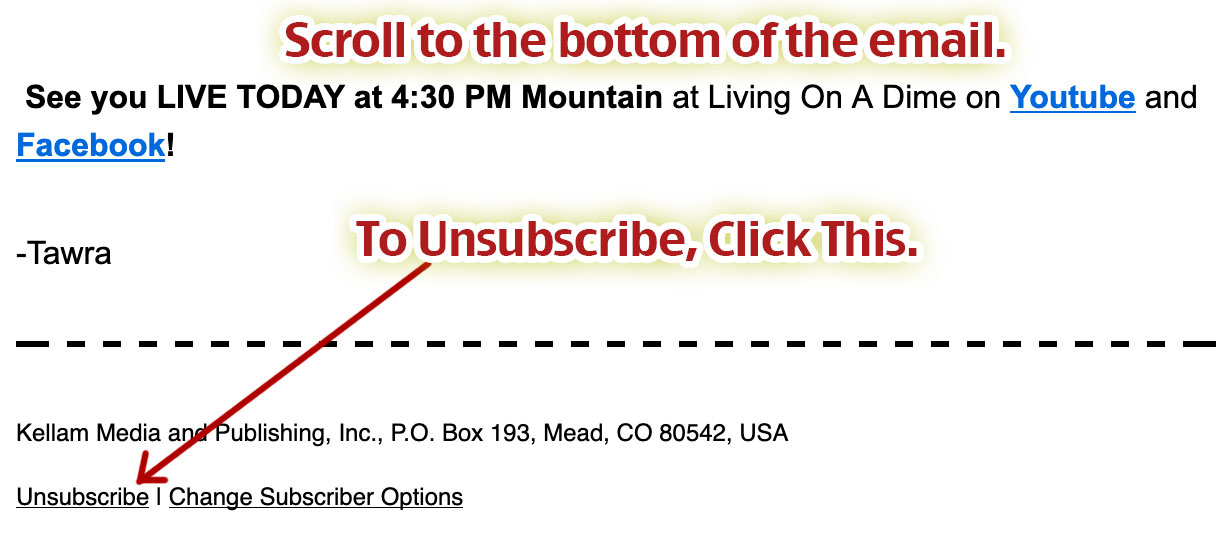
1) Find an email that you received from us. Scroll down to the bottom and click “Unsubscribe”.
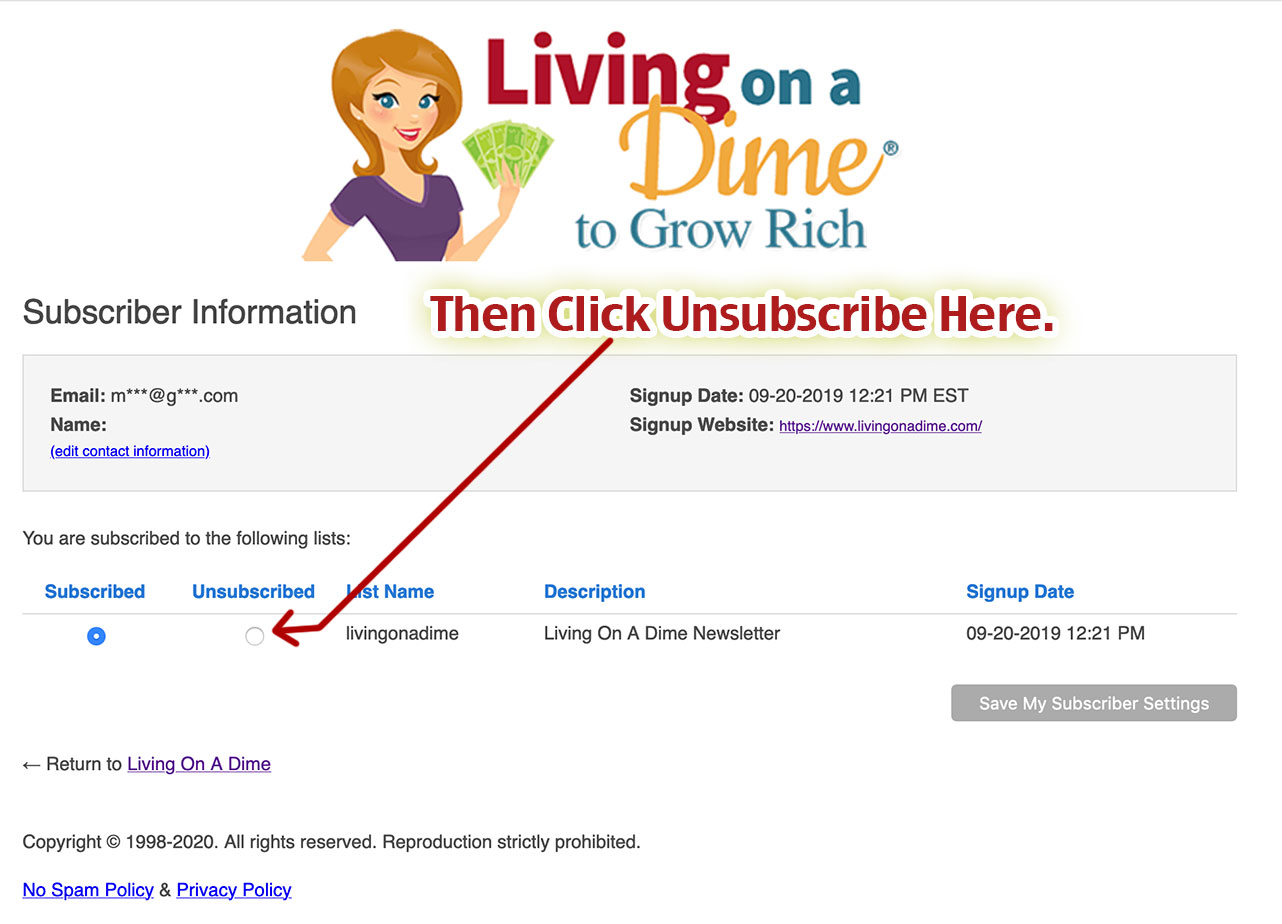
2) On the page you are directed to, click “Unsubscribed” next to each item you wish to unsubscribe from.
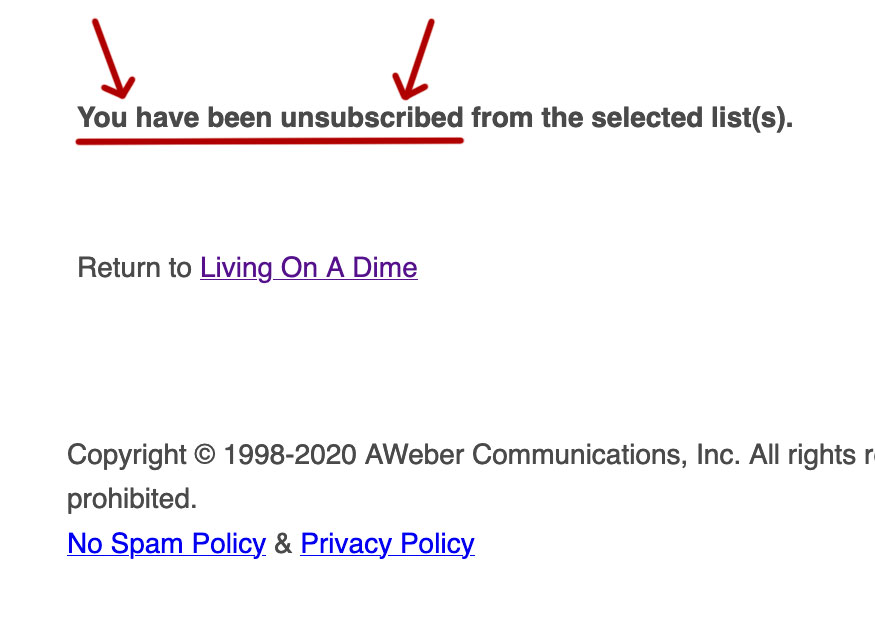
3) Then you will see this screen confirming that your email address has been unsubscribed.
To change your email address on the newsletter:
1) Unsubscribe from the incorrect email, using the method above.
2) Re-subscribe to the newsletter with the new email address, entering your information here:
[dining]


 Should You Move Your Stuff Or Sell It?